How to freeze first row and multiple left columns in Microsoft Excel?
Following is a real scenario that I want to freeze first row which is header, and A, B, C, D columns.

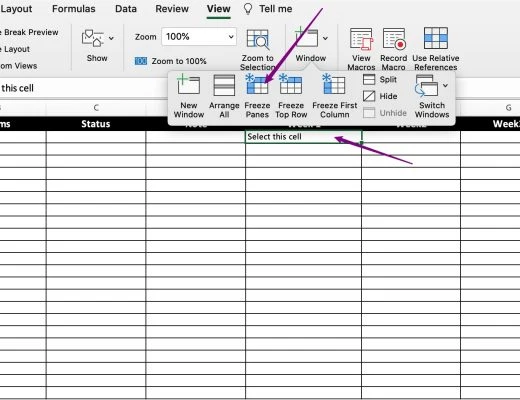
The solution is:
- Choose E1 cell
- View -> Window -> Freeze Panes
 Author CoderCMS
 How to freeze first row and multiple left columns in Microsoft Excel?
Following is a real scenario that I want to freeze first row which is header, and A, B, C, D columns.
The solution is: